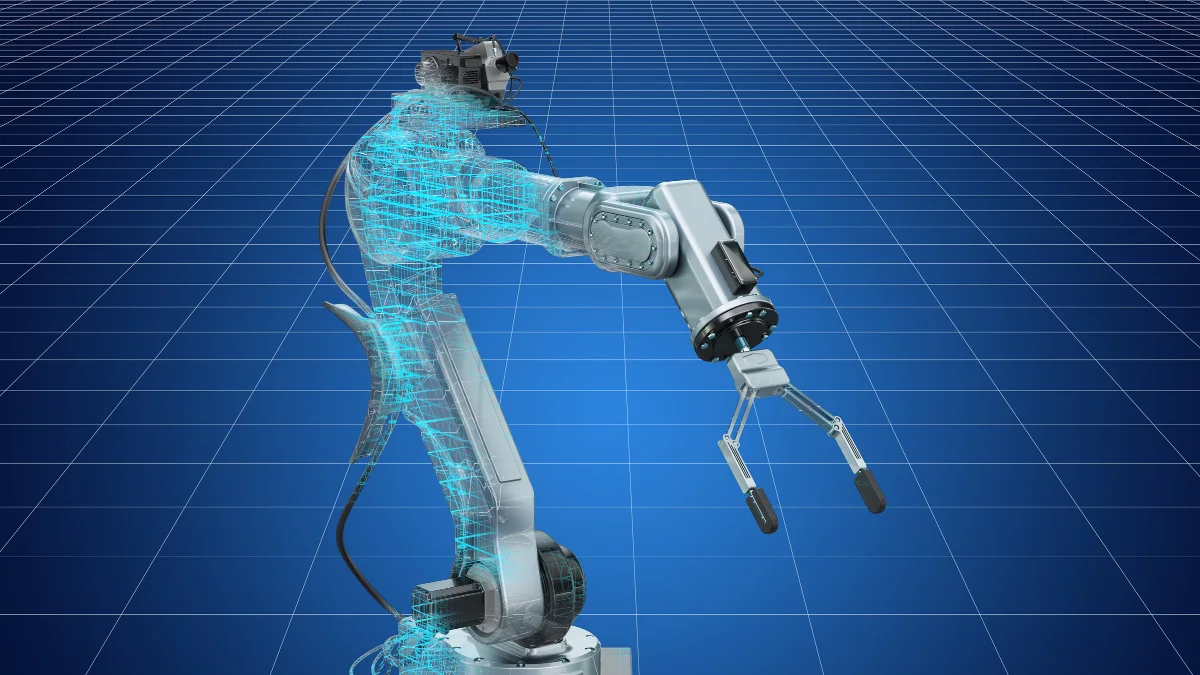
AI process automation for UK manufacturers removes the manual admin overhead that costs the average 20-100 employee factory 25-40 hours of staff time per week - order processing, purchase order generation, quality control data entry, customer delivery updates, compliance documentation, invoice processing, and production scheduling inputs. In 2026, deploying Make (formerly Integromat), n8n, or custom AI workflows on top of Odoo, SAP Business One, or Sage 200 reduces this admin burden by 60-75%, worth an estimated £59,500-£92,500 a year in recovered staff time for a 50-person manufacturer. Softomate Solutions implements AI process automation for UK manufacturers, with single-workflow projects from £5,000.
Last updated: 7 June 2026
Published 18 May 2026
Why UK Manufacturers Are Automating Back-Office Workflows in 2026
UK manufacturing is navigating one of its most challenging operating environments in a generation. The National Living Wage rose by 6.7% in April 2025 to £12.21 per hour, adding thousands of pounds to annual payroll costs for businesses that rely on manual, labour-intensive admin processes. At the same time, many manufacturers struggle to fill vacancies - a structural skills shortage that shows no sign of easing in the near term.
Post-Brexit compliance paperwork has added another layer of friction. Exporters now deal with customs declarations, rules of origin documentation, and import controls that simply did not exist before 2021. For a business shipping to the EU regularly, this can mean 5-10 additional hours of admin per week, entirely absorbed by staff who could be doing something more valuable.
Customer expectations have also shifted dramatically. Buyers - whether trade customers ordering industrial components or retailers placing replenishment orders - now expect real-time visibility of their order status, proactive delivery updates, and same-day acknowledgements. Meeting these expectations manually, when your order processing team is already stretched, is unsustainable.
This is where AI process automation changes the equation. By connecting your ERP (Odoo, SAP Business One, Sage 200, or similar) to intelligent workflow tools like Make or n8n, you can automate the repetitive, rule-based admin that consumes staff time without adding value. The economics are compelling: in our project experience, £1 invested in well-implemented business process automation typically returns £3-£6 in annual efficiency gains, when accounting for staff time saved, error reduction, and improved customer satisfaction scores.
The seven workflows covered in this article are the ones Softomate most frequently implements for UK manufacturers with 20-100 employees. Each one is live and tested in real production environments. Collectively, they typically eliminate 25-40 hours of weekly admin across a business - the equivalent of adding a part-time member of staff without the salary cost.
The best starting point is almost always the workflow causing the most daily pain. For most manufacturers, that is either sales order processing or purchase order management - and both are covered in detail below.
The table below shows how automation ROI scales with manufacturer size, based on Softomate project data and fully-loaded staff cost assumptions of £35 per hour:
| Manufacturer Size | Weekly Admin Hours Saved | Typical Implementation Cost | Estimated Annual Value | Payback Period |
|---|
| 10-20 employees (1-2 workflows) | 8-14 hours | £5,000-£10,000 | £14,500-£25,500 | 5-9 months |
| 20-50 employees (3-4 workflows) | 18-32 hours | £10,000-£18,000 | £32,500-£58,000 | 4-7 months |
| 50-100 employees (5-7 workflows) | 33-51 hours | £14,000-£22,000 | £59,500-£92,500 | 3-5 months |
| 100+ employees (full cluster) | 50-80 hours | £18,000-£35,000 | £91,000-£145,600 | 3-5 months |
Payback periods shorten as headcount rises because ERP integration setup costs are spread across a greater volume of transactions. Even at the smallest scale, a single well-chosen workflow delivers a return within one financial year.
Workflow 1: Sales Order Processing and Customer Acknowledgement
Sales order processing is the single highest-impact automation target for most manufacturers. A typical 3-person order processing team handling 30-60 orders per day spends the majority of their time doing things a machine can do faster and without errors: reading customer purchase orders, checking pricing, updating the ERP, sending acknowledgements.
The automated workflow looks like this. A customer PO arrives by email - PDF, Excel, or plain text. An OCR layer (integrated into Make or built on a document AI service like Google Document AI or Azure Form Recognizer) extracts the order details: customer name, delivery address, line items, quantities, requested delivery date, and any special instructions. These extracted values are validated automatically against the product catalogue and price list held in the ERP.
If everything matches - standard products, correct pricing, customer within credit limit, stock available - the order is created in the ERP without any human involvement, and a professionally formatted acknowledgement email is dispatched to the customer within minutes of their PO arriving. The acknowledgement includes a confirmed delivery date calculated from current production capacity and lead times.
Where the workflow encounters an exception - a non-standard product configuration, pricing that deviates from the standard list, a customer at or above their credit limit, or a line item that is currently out of stock - it flags the order to the relevant person with all the extracted details already populated. The operator reviews the exception, takes the appropriate action, and the workflow continues from that point. The human is only involved for the cases that genuinely require judgement.
In practice, around 75-80% of inbound orders pass straight through without any human touch. For a team previously spending 45 minutes per order on average, that is a substantial reduction in workload. The remaining 20-25% of orders that do require intervention are handled faster because all the data extraction and ERP lookup work has already been done.
The customer experience also improves noticeably. Orders acknowledged within minutes rather than hours, with a firm delivery commitment included, build confidence and reduce inbound calls chasing order status. That is a measurable reduction in inbound call volume - typically 20-30% fewer status enquiries in the first 90 days after go-live.
Integration points: email inbox (IMAP/Exchange), OCR service, ERP order creation API, SMTP for outbound acknowledgement, and optional CRM update if customer has an account record.
Workflow 2: Purchase Order Generation and Supplier Management
For most manufacturers, procurement admin is the second largest time sink after sales order processing. Monitoring stock levels, deciding when to reorder, contacting suppliers, chasing confirmations, and logging delivery dates - done manually, this absorbs 2-3 hours per day for a 2-person procurement function. Done automatically, it takes about 20 minutes of human oversight per day.
The core of this automation is the reorder trigger. When a SKU drops below its defined reorder point in the ERP - whether set as a fixed quantity or calculated dynamically from average weekly consumption - the workflow fires automatically. It identifies the approved supplier for that product (or generates a comparison request to multiple suppliers if the product has more than one source), calculates the reorder quantity based on standard order multiples and target stock cover, and drafts a purchase order populated with the correct product codes, descriptions, and pricing from the approved supplier price list.
That draft PO is either sent directly to the supplier (for routine, low-risk purchases below a defined value threshold) or routed to the procurement manager for a one-click approval before dispatch. The supplier receives a clean, professional PO by email. The workflow then monitors the inbox for a supplier confirmation: when the confirmation arrives, it is parsed to extract the confirmed delivery date, which is logged against the PO in the ERP and compared against the requested date.
If the supplier's confirmed date is within tolerance, no action is taken. If the delivery date is later than required - putting production at risk - an escalation alert is sent automatically to the procurement manager and, where relevant, the production planner, with all the context needed to make a decision: which product, which supplier, what the impact on production schedule would be, and what alternative sources are available.
Supplier performance is updated continuously. On-time delivery rate, lead time accuracy, and quality reject rate (fed from the QC workflow below) are all tracked automatically. Monthly supplier scorecards are generated and dispatched to suppliers without anyone in procurement having to compile them manually.
The business impact is substantial. A procurement function that was firefighting daily can shift to a more strategic role - supplier development, cost reduction projects, dual-sourcing critical materials - because the routine transaction management is handled automatically. Time saved: 2-3 hours per day, with a corresponding reduction in stockouts and rush order premiums.
Workflow 3: Quality Control Data Entry and CAPA Automation
Quality control is one of the most documentation-intensive functions in any manufacturing business, and one of the least satisfying to do manually. Inspection results need recording, non-conformances need logging, corrective actions need tracking, and certificates need generating - all of it repetitive, all of it critical to maintain for ISO 9001 compliance and customer audits.
The automated QC workflow starts at the point of inspection. Operators record inspection results on a mobile tablet app - pass/fail for each inspection point, measurement values where applicable, and photographs of any defects. The app is connected to the workflow engine in real time.
When an inspection result is a pass, the workflow sends a production continuation signal to the relevant workstation or production cell and logs the inspection record against the batch in the ERP. No further action required.
When a result is a fail, the workflow triggers a sequence of actions automatically. A non-conformance record is created in the quality management system with all the inspection data already populated. The batch is placed on hold in the ERP, preventing despatch and further processing. A notification is sent to the quality manager with a summary of the defect and the batch details. If the non-conforming material is incoming goods rather than in-process production, a supplier notification is drafted for review and approval by the quality manager before dispatch.
The corrective action (CAPA) process is initiated from the non-conformance record. The workflow assigns the investigation to the appropriate team member, sets a target completion date based on severity, and sends reminders if actions are overdue. When the CAPA is closed out, the workflow verifies that all required fields are complete before allowing closure - preventing the common situation where CAPAs are closed without proper documentation.
ISO 9001 documentation is generated automatically from the inspection and CAPA data. Inspection summaries, non-conformance logs, and corrective action registers are available as formatted reports at any time - useful for internal audits and customer supplier assessments.
The reduction in QC admin is significant. A process that previously absorbed 3 hours per day of a quality administrator's time typically reduces to under 30 minutes of oversight. More importantly, the data quality improves: records are complete, consistently formatted, and timestamped accurately - which matters enormously when a customer or certification body requests evidence.
Working on something like this? Let’s talk it through.
Workflows 4-7: Delivery Updates, Compliance Docs, Invoicing, and Production Scheduling
The first three workflows cover the highest-impact areas for most manufacturers. The next four address processes that are individually smaller in time cost but collectively add up to a meaningful reduction in admin overhead - and in some cases, they deliver significant improvements in customer experience and cash flow.
Workflow 4: Customer Delivery Updates
When a despatch is confirmed in the ERP - goods picked, packed, and handed to the carrier - the workflow fires automatically. The customer receives an email and, optionally, an SMS with the tracking number, carrier name, and estimated delivery date. No manual communication required from the despatch team.
The workflow continues through the delivery journey. A same-day reminder is sent to the customer on the morning of the expected delivery day. When the carrier confirms delivery (via webhook or API polling), the delivery event is recorded against the order in the ERP, and a customer satisfaction survey is triggered 24 hours later. The survey responses feed back into the customer record for account management review.
The business benefit here is twofold: a reduction in inbound calls from customers chasing delivery status (typically 30-40% fewer calls in the first month), and a documented evidence trail of communication that is useful when delivery disputes arise.
Workflow 5: Compliance Documentation Dispatch
Many manufactured products carry regulatory obligations on the documentation that must accompany them - COSHH data sheets for chemical products, CE or UKCA marking declarations for equipment, REACH declarations for products containing substances of concern, food-grade compliance certificates, and more.
Product records in the ERP are tagged with the documentation requirements for each item. When an order containing tagged products is despatched, the workflow automatically attaches the correct certificates and declarations to the despatch notification email. The customer receives their legal compliance documentation without anyone in your team having to remember to include it, find the right version, or attach it manually.
The version control benefit is significant: the workflow always pulls the current, approved version of each document. There is no risk of sending outdated certificates because someone used an old file from their desktop. Compliance documentation is stored centrally and updated in one place.
Workflow 6: Invoice Processing and Payment Chasing
The outbound invoicing workflow connects to the despatch confirmation event. When a delivery is confirmed, the workflow triggers invoice generation from the ERP - pulling order details, pricing, and delivery information automatically. The invoice is emailed to the customer's accounts payable contact with the correct payment terms and bank details.
At day 25 (5 days before the standard 30-day payment term), a polite payment reminder is sent automatically. At day 30, a firmer reminder with the invoice attached. At day 40, an escalation to the account manager for manual follow-up. This automated dunning sequence alone typically improves debtor days by 5-8 days for businesses that previously relied on manual chasing.
On the inbound side, supplier invoice processing is automated via OCR. Supplier invoices arriving by email are parsed to extract supplier, invoice number, amount, and line items. These are matched automatically against the corresponding purchase order and goods received note in the ERP (three-way match). Matched invoices are approved automatically and queued for payment. Exceptions - where the invoice amount does not match the PO or GRN - are flagged to accounts for manual review.
Workflow 7: Production Scheduling Input
The production scheduling workflow aggregates confirmed sales orders each morning and feeds the data into the ERP production planning module to generate a draft schedule for the day and the coming week. Capacity utilisation is calculated automatically: if the loaded schedule exceeds 85% of available capacity, an alert is sent to the production manager before the shift starts, allowing time to prioritise or reschedule.
Operator notifications for their assigned jobs are sent via WhatsApp or email at the start of each shift, including job details, quantity, and any special instructions from the order. Changes to the schedule during the day - new urgent orders, machine downtime - are pushed to affected operators automatically.
The workflow value table below summarises the combined impact across all seven workflows for a typical 50-person manufacturer:
| Workflow | Time Saved Per Week | Estimated Annual Value |
|---|
| 1. Sales Order Processing | 10-15 hours | £18,000-£27,000 |
| 2. Purchase Order Management | 8-12 hours | £14,000-£22,000 |
| 3. Quality Control Data Entry | 4-6 hours | £7,000-£11,000 |
| 4. Delivery Updates | 2-3 hours | £4,000-£5,500 |
| 5. Compliance Documentation | 2-4 hours | £4,000-£7,000 |
| 6. Invoice Processing | 4-6 hours | £7,000-£11,000 |
| 7. Production Scheduling Input | 3-5 hours | £5,500-£9,000 |
| Total | 33-51 hours | £59,500-£92,500 |
Figures are based on an average fully-loaded staff cost of £35 per hour (salary, NI, pension, and overhead) and represent recoverable time redirected to value-adding activities, not headcount reduction.
AI vs RPA vs Traditional BPA for UK Manufacturing
When manufacturers start exploring automation, they quickly encounter a range of options with overlapping claims and confusing terminology. Enterprise robotic process automation (RPA) platforms have been marketed mainly to large organisations. Traditional business process automation tools are promoted as low-code solutions for mid-market businesses. And newer API-first workflow platforms combined with AI services offer a different proposition.
Understanding the differences matters for choosing the right tool - and for avoiding expensive mistakes. The comparison table below evaluates each approach across the criteria that matter most for an SME manufacturer with under £20m turnover:
| Criteria | API-first AI workflow automation | Enterprise RPA | Traditional low-code BPA |
|---|
| Implementation cost (typical) | £5,000-£18,000 | £40,000-£150,000+ | £10,000-£40,000 |
| Implementation speed | 6-10 weeks | 6-18 months | 3-6 months |
| Exception handling | AI-assisted, flexible | Rigid; breaks on UI changes | Rule-based; limited flexibility |
| ERP integration depth | API-first; excellent | UI scraping; fragile | Connector-dependent; variable |
| Maintenance burden | Low; API-based is stable | High; UI changes break bots | Medium; connector updates needed |
| AI / ML capability | Native; OCR, NLP, LLM | Add-on; expensive | Limited; improving slowly |
| Suitable for under £20m turnover | Yes - purpose-built | Rarely; cost-prohibitive | Sometimes; depends on use case |
The verdict for most UK SME manufacturers is clear. Enterprise RPA platforms were designed for large organisations with dedicated automation centres of excellence, six-figure project budgets, and IT teams to manage bot infrastructure. They are rarely appropriate for businesses under £20m turnover, and the failure rate of RPA projects in the SME sector is high - partly because of cost overruns and partly because UI-based bots break whenever the underlying application is updated.
Traditional low-code BPA tools can work well for simple workflows inside one software ecosystem. AI features, ERP connectors and exception handling vary by product and licence tier, so check them against your own ERP and use case before committing.
An API-first workflow platform combined with purpose-built AI services (document AI for OCR, LLM APIs for classification and extraction) gives SME manufacturers flexible exception handling at a cost suited to SME budgets, with API-first ERP integration that is stable and maintainable without specialist RPA skills. This is the approach Softomate uses for every manufacturing client.
Softomate Implementation: Discovery, Costs, and Timeline
Every Softomate manufacturing automation project starts with a process discovery workshop. This is a focused 3-4 hour session (sometimes split across two half-days) with the operations, procurement, finance, and quality leads - the people who actually do the work being automated. The output is a detailed process map for each candidate workflow, including volume data, exception types and frequency, current time cost, and the ERP and external systems involved.
From the discovery workshop, Softomate produces an ROI-ranked implementation roadmap: the workflows ordered by the ratio of annual value to implementation cost, with the fastest payback projects at the top. Most manufacturers choose to implement 3-4 workflows together in an initial phase, since there are ERP integration setup costs that benefit from being shared across multiple workflows.
Implementation follows a phased approach. Phase 1 covers ERP connection and authentication, core workflow build, and exception handling logic. Phase 2 covers integration testing with real production data - actual orders, real supplier records, genuine QC inspection scenarios - rather than synthetic test data. This phase typically surfaces 3-5 edge cases that need handling before go-live. Phase 3 is staff training and go-live, with Softomate available for same-day support during the first two weeks of live operation.
Cost ranges for a typical implementation:
- Process discovery workshop and roadmap: £1,500-£2,500 (credited against implementation if proceeding)
- Implementation per workflow cluster (3-4 workflows): £5,000-£18,000 depending on ERP complexity and integration requirements
- SAP Business One and Sage 200 integrations are at the higher end due to API complexity; Odoo integrations are typically at the lower end
- Ongoing support and monitoring for a workflow cluster: from £400/month, including proactive alerting if a workflow fails and monthly performance reporting
Before starting implementation, Softomate runs a brief ERP readiness check to confirm the integration prerequisites are in place. The checklist below covers the most common requirements across Odoo, SAP Business One, and Sage 200:
| Readiness Item | Odoo | SAP Business One | Sage 200 | Notes |
|---|
| REST API enabled and accessible | Yes (built-in) | Via Service Layer | Via REST module or ODBC | Cloud deployments simpler; on-premise may need firewall rule |
| API user credentials with appropriate roles | Required | Required | Required | Dedicated integration user recommended; never use admin account |
| Order, product, and customer master data clean and consistent | Required | Required | Required | Duplicate or incomplete records cause OCR matching failures |
| Email inbox accessible via IMAP or Exchange/Graph API | N/A | N/A | N/A | Required for order intake workflow; Office 365 or Google Workspace both supported |
| Supplier email addresses maintained in ERP | Required | Required | Required | Used for automated PO dispatch and confirmation parsing |
| Reorder points or min/max levels set per SKU | Recommended | Recommended | Recommended | Can be set during discovery if not already in place |
| ERP hosted in UK or EEA data centre (or self-hosted) | Check with vendor | Check with vendor | Check with vendor | Required for GDPR compliance of workflow data processing |
Most manufacturers have the majority of these items in place already. The discovery workshop surfaces any gaps, and Softomate's team resolves them as part of Phase 1 setup. A clean ERP master data set is the single biggest predictor of a smooth go-live.
Timeline: 6-10 weeks from kick-off to go-live for a typical 3-4 workflow cluster. More complex implementations involving multiple ERPs or custom middleware take 10-16 weeks. All implementation work is delivered under a single named senior contact, which means client calls happen in UK business hours and issues are resolved without timezone delays.
The payback period for most manufacturing automation projects Softomate has implemented is 4-9 months. Beyond payback, the annual return continues indefinitely - workflow automation does not require salary increases, does not take sick leave, and scales with volume without additional cost.
Frequently Asked Questions
Does AI process automation require us to replace our ERP system?
No - and this is one of the most common misconceptions about automation. Softomate connects to your existing ERP (Odoo, SAP Business One, Sage 200, and most other systems with an API or database access) via integration layers. Your ERP remains the system of record. The automation workflows sit on top of it, reading and writing data through the ERP's standard interfaces. No data migration, no platform change, no retraining on a new system.
Can the automation handle EDI orders from large retailers like Tesco or Sainsbury's?
Yes. EDI (Electronic Data Interchange) order processing is a specific capability Softomate builds for manufacturers supplying major retailers and wholesalers. We connect to EDI networks (TRADACOMS, EDIFACT, X12), parse the inbound order messages, and map them to your ERP order format. EDI acknowledgements, ASNs (advance shipment notices), and invoice messages are generated and transmitted automatically. This is one of the higher-complexity integrations and is scoped separately in the implementation quote.
How does the automation handle GDPR for customer and supplier data?
GDPR compliance is built into every workflow Softomate implements. Customer and supplier data processed by the automation remains within UK/EEA data centres (Make's European infrastructure or self-hosted n8n). Data is not persisted in workflow logs beyond the retention periods specified in your privacy policy. Softomate signs a Data Processing Agreement as a data processor for all client implementations. Workflows processing personal data are documented in your Record of Processing Activities template, which Softomate provides.
What is the cost of automation for a smaller manufacturer with around 10 employees?
For a 10-person manufacturer, Softomate typically recommends starting with a single high-impact workflow - usually sales order processing or purchase order management - rather than a full cluster. A single-workflow implementation costs £5,000-£8,000, with a payback period of 6-12 months at smaller order volumes. The discovery workshop (£1,500) still applies, and monthly care starts from £299/month for single-workflow clients. The economics work at this scale; the time savings are proportionally just as significant for a small team.
What happens if the automation makes a wrong decision on an order or purchase?
Every Softomate workflow is built with exception handling and human-in-the-loop checkpoints for decisions above defined thresholds. Orders exceeding a value limit, POs to new suppliers, and QC dispositions with regulatory implications all require human approval before the workflow proceeds. Workflows log every action and decision with a timestamp and the data values used, creating a complete audit trail. If an error does occur, the log makes it straightforward to identify what happened and why. No automation eliminates the need for human oversight entirely - it reduces the volume of decisions requiring human time, not the quality of oversight.
Does the automation work with both Sage 200 and SAP Business One?
Yes. Softomate has live implementations on both platforms. Sage 200 integration uses the Sage 200 API (REST-based for cloud-connected deployments) or direct database integration for on-premise installations. SAP Business One integration uses the SAP B1 Service Layer API, which provides comprehensive access to business objects including orders, purchase orders, items, business partners, and production orders. SAP B1 integrations are at the higher end of the implementation cost range due to API complexity, but the capability is equivalent to Odoo or Sage implementations in terms of workflow scope.
Is AI process automation suitable for a manufacturer that still uses spreadsheets rather than a full ERP?
Yes, with some adaptation. Where no ERP is in place, Softomate connects the workflow engine directly to the spreadsheet data source (Google Sheets or Excel via OneDrive), using it as a lightweight product catalogue and order record. This approach works well for order intake, PO generation, and delivery notifications. For businesses processing more than 20-30 orders per week, we typically recommend implementing a lightweight ERP such as Odoo Community (free) alongside the automation project, since spreadsheets become a bottleneck as workflow complexity increases. The ERP and automation can be set up concurrently within the same project.
How does AI process automation help with UK product safety and UKCA marking obligations?
The compliance documentation workflow (Workflow 5) directly addresses UKCA marking and product safety obligations. Product records are tagged with the required declaration type - UKCA, CE where still applicable for certain goods, or both for dual-market products. When a despatched order contains tagged items, the current signed declaration of conformity is attached to the despatch email automatically. Version control is enforced: only the current, approved document is used. This removes the risk of despatch teams sending superseded declarations, which is a common audit finding. Softomate configures the document tags during the discovery workshop, working from your existing product register.
UK manufacturers implementing AI process automation across the seven workflows covered here typically reclaim 33-51 hours of staff time per week - time that can be redirected to customer relationships, supplier development, and production quality rather than data entry and email chasing. Skills shortages mean many manufacturing roles remain hard to fill; automation does not solve the people problem, but it means the people you do have are focused on work that requires human skill. For a 50-person manufacturer, the combined annual value of these seven workflows typically reaches £59,500-£92,500 with a payback period of 4-9 months.
Ready to cut 60-75% of your admin overhead? Explore Softomate's AI Automation for Manufacturers or book a free workflow discovery session.
Sources and Further Reading
We protect the real names of all clients featured in examples and case studies. Every testimonial is from a real client.